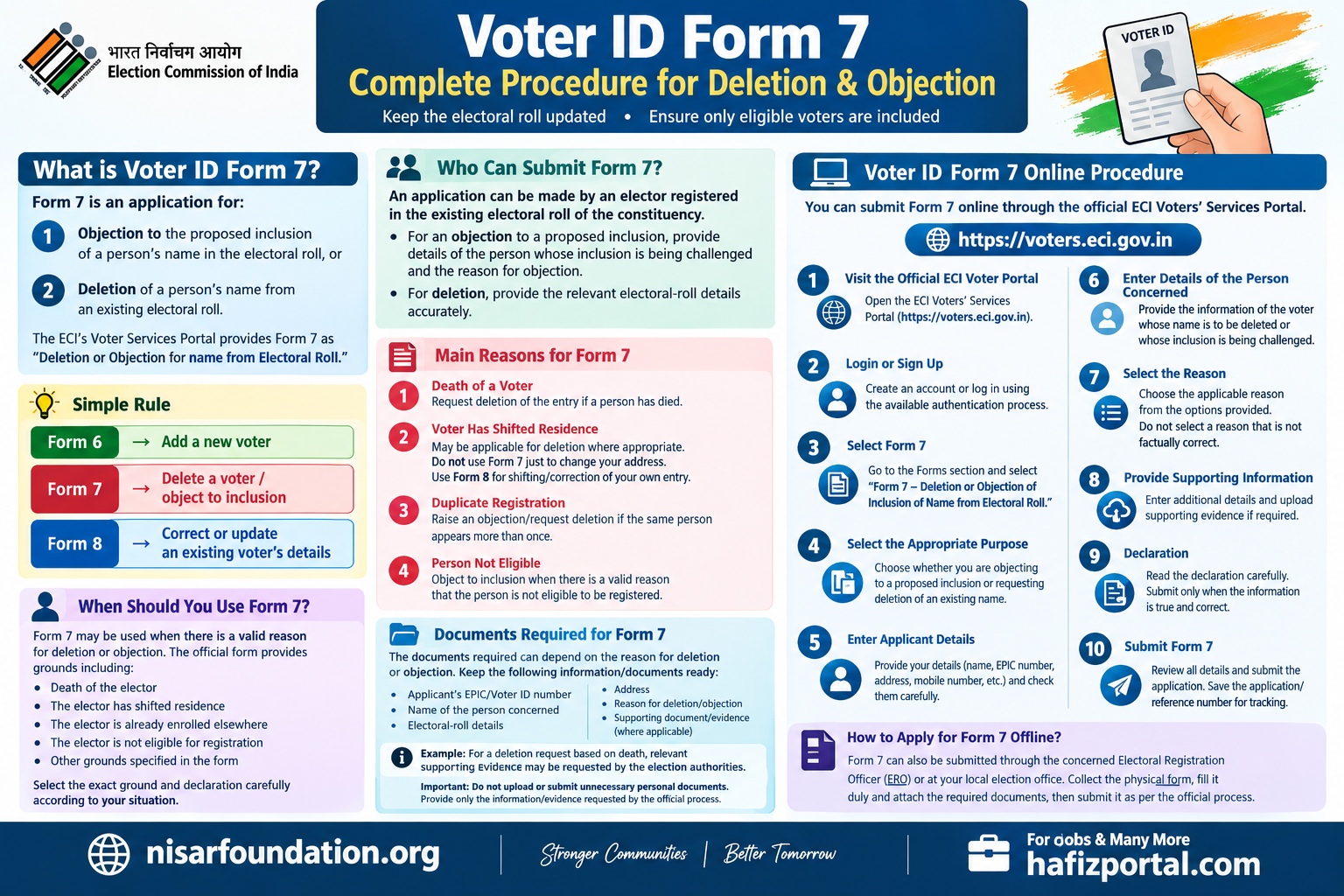
Voter ID Form 7: Complete Procedure for Deletion & Objection
Voter ID Form 7: Complete Procedure for Deletion & Objection
Form 7 is the Election Commission of India (ECI) form used for objecting to the proposed inclusion of a name or requesting deletion of a name from an existing electoral roll. The official ECI forms page identifies Form 7 for “Objection for Proposed Inclusion/Deletion of Name in Existing Electoral Roll.”
What is Voter ID Form 7?
Form 7 is an application for:
- Objection to the proposed inclusion of a person’s name in the electoral roll, or
- Deletion of a person’s name from an existing electoral roll.
The ECI’s current Voter Services Portal provides Form 7 as “Deletion or Objection for name from Electoral Roll.”
Simple rule
Form 6 → Add a new voter
Form 7 → Delete a voter / object to inclusion
Form 8 → Correct or update an existing voter’s details
When Should You Use Form 7?
Form 7 may be used when there is a valid reason for deletion or objection.
The official Form 7 provides grounds including situations such as:
- Death of the elector
- The elector has shifted residence
- The elector is already enrolled elsewhere
- The elector is not eligible for registration
- Other grounds specified in the form
The exact grounds and declaration should be selected carefully according to the circumstances.
Who Can Submit Form 7?
The official Form 7 guidelines state that an application can be made by an elector registered in the existing electoral roll of the constituency.
For an objection to a proposed inclusion, the applicant should provide the relevant details of the person whose inclusion is being challenged and the reason for the objection.
For deletion, the relevant electoral-roll details should be provided accurately.
Main Reasons for Form 7
1. Death of a Voter
If a person whose name appears in the electoral roll has died, Form 7 can be used to request deletion of that entry.
This helps keep the electoral roll updated.
2. Voter Has Shifted Residence
If an elector has permanently shifted from the relevant constituency, Form 7 may be applicable for deletion where appropriate.
However, do not use Form 7 simply because you personally want to change your address. An existing voter who has shifted residence should generally use Form 8 for shifting/correction of their own electoral-roll entry.
3. Duplicate Registration
If the same person appears to be registered more than once, Form 7 can be used to raise an objection/request deletion where the applicable conditions are met.
4. Person Not Eligible
Form 7 can be used to object to an inclusion when there is a valid reason that the person is not eligible to be registered as an elector.
Documents Required for Form 7
The documents required can depend on the reason for deletion or objection.
Keep the following information/documents ready where applicable:
- Applicant’s EPIC/Voter ID number
- Name of the person concerned
- Electoral-roll details
- Address
- Reason for deletion/objection
- Supporting document/evidence, where applicable
Example
For a deletion request based on death, relevant supporting evidence may be requested by the election authorities.
Important: Do not upload or submit unnecessary personal documents. Provide only the information/evidence requested by the official application process.
Voter ID Form 7 Online Procedure
You can submit Form 7 online through the official ECI Voters’ Services Portal.
Step 1: Visit the Official ECI Voter Portal
Open:
The portal provides online voter-related services, including Form 7.
Step 2: Login or Sign Up
Create an account or log in using the available authentication process.
Step 3: Select Form 7
Go to the Forms section and select:
Form 7 – Deletion or Objection of Inclusion of Name from Electoral Roll.
The official portal currently lists Form 7 under deletion/objection services.
Step 4: Select the Appropriate Purpose
Choose whether you are:
- Objecting to a proposed inclusion, or
- Requesting deletion of an existing name.
Step 5: Enter Applicant Details
Provide the requested information about yourself.
Check your:
- Name
- EPIC number
- Address
- Mobile number
- Other required details
carefully before proceeding.
Step 6: Enter Details of the Person Concerned
Enter the information requested about the voter whose name is proposed to be deleted or whose inclusion is being challenged.
Make sure the information matches the electoral-roll record as closely as possible.
Step 7: Select the Reason
Select the applicable reason from the options provided in Form 7.
Do not select a reason that is not factually correct.
Step 8: Provide Supporting Information
Enter any additional information or supporting details requested by the portal.
Where supporting evidence is required, upload it according to the instructions.
Step 9: Declaration
Read the declaration carefully.
You should submit the application only when the information provided is true and correct.
Step 10: Submit Form 7
Review all details and submit the application.
Save the application/reference number generated after successful submission.
This number is useful for tracking the application.
How to Apply for Form 7 Offline?
Form 7 can also be submitted through the appropriate election authorities.
Offline procedure:
- Obtain Form 7.
- Fill in the applicant’s details.
- Provide details of the concerned elector.
- Select the appropriate reason.
- Attach supporting documents/evidence where applicable.
- Sign the declaration.
- Submit the form to the appropriate election authority/BLO as applicable.
- Keep the acknowledgement/reference information safely.
The ECI provides electoral-roll forms through its official system, and Form 7 is available for deletion/objection applications.
Can I Delete My Own Voter ID Using Form 7?
If you want to voluntarily request deletion of your own electoral-roll entry, Form 7 can be used for the applicable deletion process.
However, if you have simply moved to another address and want to remain registered as a voter, you generally should not delete yourself and then register again. Use Form 8 for shifting of residence.
Form 7 for a Deceased Voter
If a family member or another elector has died and their name is still appearing in the electoral roll, Form 7 can be used to request deletion.
Keep ready:
- Deceased person’s name
- EPIC number, if available
- Electoral-roll details
- Relevant death information/document, if requested
- Applicant’s own voter details
The election authorities may conduct verification before taking a final decision.
Form 7 for Duplicate Voter Registration
Sometimes a voter may appear in more than one electoral roll.
If you identify a genuine duplicate entry, Form 7 can be used to raise an objection/deletion request, providing the relevant details and correct reason.
Do not submit duplicate deletion requests based only on similar names. Verify the person’s identity and electoral details before making an application.
Form 7 vs Form 8
This is one of the most important differences.
| Requirement | Form |
|---|---|
| New voter registration | Form 6 |
| Overseas voter registration | Form 6A |
| Aadhaar information for electoral-roll authentication | Form 6B |
| Delete a name from electoral roll | Form 7 |
| Object to proposed inclusion | Form 7 |
| Change address of existing voter | Form 8 |
| Correct voter details | Form 8 |
| Replace EPIC | Form 8 |
| Mark PwD | Form 8 |
The ECI officially describes Form 8 as the form for shifting residence, correction, replacement of EPIC and marking PwD, while Form 7 is for deletion/objection.
How to Track Form 7 Status?
After submitting Form 7 online, save the reference/application number.
You can use the official Voter Services Portal to check the status of your application.
The ECI also provides online voter services through its Voters’ Services Portal and related applications.
What Happens After Form 7 Is Submitted?
Submission of Form 7 does not necessarily mean that deletion happens immediately.
The application goes through the election administration process. The ERO/AERO and election officials can examine the application and supporting information before taking a decision. ECI’s electoral-roll management system describes the process in which submitted forms are subsequently handled by election officials.
Depending on the case, verification may be required.
Therefore, applicants should:
- Give correct information
- Select the correct reason
- Provide supporting evidence where required
- Keep the acknowledgement/reference number
- Check the status after submission
Important Precautions While Using Form 7
1. Do not make a false complaint
Form 7 should be submitted only when there is a genuine and legally applicable reason.
2. Verify the voter details
Similar names can belong to different people. Check the EPIC number, address and other details wherever possible.
3. Do not use Form 7 for normal correction
If your own name, date of birth, address or other electoral-roll details need correction, Form 8 is generally the appropriate form.
4. Do not delete yourself unnecessarily
If you have shifted residence and want to remain a voter, use the appropriate Form 8 service rather than unnecessarily requesting deletion.
5. Use official websites
For voter services, prefer the official ECI portal rather than unofficial websites or agents.
Frequently Asked Questions – Form 7
What is Form 7 in Voter ID?
Form 7 is used for objection to proposed inclusion or deletion of a name from the existing electoral roll.
Can I apply for Form 7 online?
Yes. The ECI Voters’ Services Portal provides an online Form 7 service.
Can Form 7 be used to delete a deceased person’s name?
Yes, a deletion request can be made where the elector has died, subject to the applicable process and verification.
Can I use Form 7 to change my address?
No, not normally. For an existing voter who has shifted residence and wants the electoral-roll record updated, Form 8 is the appropriate form.
Can I object to someone else’s voter registration?
Yes, Form 7 is specifically used for objection to a proposed inclusion, subject to the eligibility and requirements of the form.
Is Form 7 available in Maharashtra?
Yes. Form 7 is an ECI electoral-roll form and is used for electoral-roll services across India, including Maharashtra.
Official Links
ECI Voters’ Services Portal:
Voters’ Services Portal
Online Form 7:
Form 7 – ECI
Form 7 Guidelines:
Official Form 7 Guidelines PDF
ECI Forms:
Election Commission of India – Electoral Roll Forms
Search Your Name in Electoral Roll:
Electoral Search – ECI