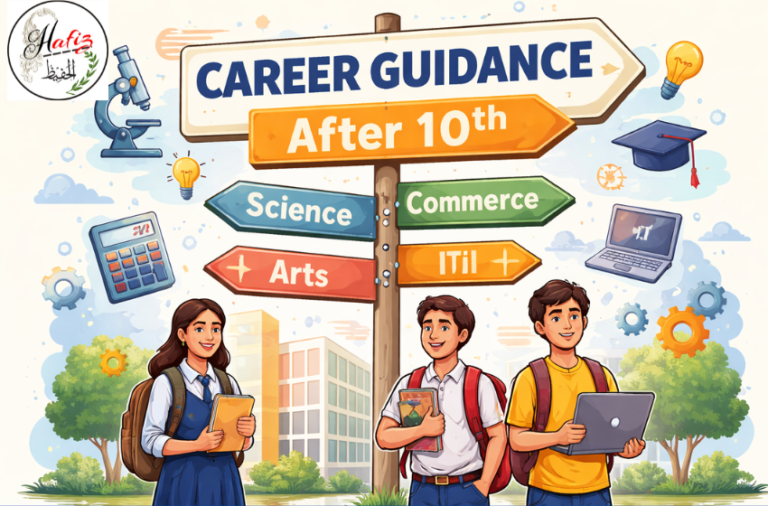
Career Guidance After 10th: IT Courses, Jobs & Career Options
Career Guidance After 10th: IT Courses, Career Options and Future Scope
Introduction: How to Start an IT Career After 10th
Information Technology (IT) has become an important part of almost every industry. Banks, hospitals, schools, government departments, e-commerce companies, startups, manufacturing companies and many other organizations use computers, software, networks and digital platforms.
Because of this, students who complete Class 10 have several ways to start preparing for an IT career.
Some students may want to enter the workforce quickly through a computer diploma or certificate course. Others may prefer to continue their education through Class 11 and 12 with Mathematics, followed by a degree such as B.Tech, BCA or another technology-related program.
There is no single IT career path that is suitable for every student. The right choice depends on your interests, academic strengths, financial situation, preferred learning style and long-term career goals.
This guide explains:
- IT courses after 10th
- Diploma and certificate options
- Computer and software courses
- Hardware and networking courses
- Web and graphic design
- Digital marketing
- Science and Mathematics route
- B.Tech and BCA options after 12th
- Cybersecurity
- Data science
- Cloud computing
- Artificial Intelligence and Machine Learning
- IT career opportunities
- Skills required for IT jobs
- Portfolio and project development
- Higher education options
- Career planning after 10th
- Frequently asked questions
IT Career Options After 10th: Two Main Pathways
After Class 10, students can broadly consider two pathways for an IT career.
Path 1: Short-Term Skill-Based Route
This route includes:
- Computer certificate courses
- Diploma courses
- Web design
- Graphic design
- Hardware and networking
- Computer applications
- Digital marketing
- Basic programming
This pathway can help students develop practical skills relatively quickly.
Path 2: Academic and Degree Route
Students who want to pursue advanced technical careers can continue with Class 11 and 12 and then choose a relevant degree.
Examples include:
- B.Tech in Computer Science
- B.Tech in Information Technology
- BCA
- B.Sc. Computer Science
- B.Sc. Information Technology
- Data Science programs
- Artificial Intelligence programs
- Cybersecurity programs
The exact eligibility requirements vary by institution and course.
Diploma and Certificate Courses After 10th
Diploma and certificate programs can be useful for students who want practical computer skills without immediately committing to a long degree program.
Course duration, eligibility and recognition can vary significantly between institutions. Students should therefore check the institute’s official website before admission.
1. Diploma in Computer Applications
A Diploma in Computer Applications (DCA) or a similar computer applications program can introduce students to basic computing and office productivity.
Topics may include:
- Computer fundamentals
- Operating systems
- MS Office or similar productivity software
- Internet and email
- Basic databases
- Computer applications
- Basic programming
- Digital documentation
- File management
The exact syllabus depends on the institute.
Possible career directions
After gaining additional practical experience, students may explore roles such as:
- Computer operator
- Office assistant
- Data entry operator
- Computer support assistant
- Junior office technology roles
Students who want stronger technical careers can continue learning programming, web development, networking or other specialized skills.
2. Computer Hardware and Networking
Students who enjoy working with computers physically may consider hardware and networking training.
What you may learn
- Computer components
- PC assembly
- Hardware troubleshooting
- Operating system installation
- Peripheral devices
- Basic networking
- Routers and switches
- Network configuration
- Basic network security
- Troubleshooting techniques
Possible career directions
Depending on qualifications and practical experience, students may work toward roles such as:
- Hardware technician
- IT support technician
- Desktop support assistant
- Network support trainee
- Technical support executive
Networking can also become a foundation for advanced learning in areas such as cloud computing and cybersecurity.
3. Web Designing and Web Development
Web technology is another option for students interested in creating websites.
A beginner-level web course may introduce:
- HTML
- CSS
- JavaScript
- Responsive design
- Website layouts
- Basic user interface concepts
- Website publishing
- Basic content management systems
Students interested in this area should not stop after completing a certificate. Building actual websites is one of the best ways to practice.
Possible career directions
With additional skills and experience, students can work toward:
- Junior web designer
- Web developer
- WordPress developer
- Front-end developer
- UI assistant
- Freelance website creator
A portfolio containing real websites can be useful when applying for internships or freelance projects.
4. Graphic Design and Digital Creativity
Students who enjoy drawing, visual communication, photography or creative work may explore graphic design.
Common learning areas
- Graphic design principles
- Typography
- Layout
- Image editing
- Branding
- Social media graphics
- Presentation design
- Basic animation
- User interface design
Popular design software may include tools for image editing, vector graphics, video editing and UI design.
Students should focus on understanding design principles instead of learning only software buttons.
Possible career directions
- Junior graphic designer
- Social media designer
- Creative assistant
- UI design trainee
- Freelance designer
5. Digital Marketing
Digital marketing combines technology, communication and business.
A beginner course may cover:
- Search Engine Optimization (SEO)
- Social media marketing
- Content marketing
- Email marketing
- Online advertising
- Website analytics
- Keyword research
- Basic marketing strategy
Digital marketing is different from traditional programming-based IT careers. Students who enjoy writing, communication, business and social media may find this area interesting.
Possible career directions
- SEO assistant
- Digital marketing executive
- Social media executive
- Content marketing assistant
- Online advertising assistant
Students should build practical experience by creating websites, content projects or small digital campaigns.
IT Career Options After 10th: Quick Comparison
| Course or Path | Main Skills | Suitable For |
|---|---|---|
| Computer Applications | Office tools, computer basics | Students interested in general computer work |
| Hardware & Networking | PC, troubleshooting, networks | Students who enjoy technical support |
| Web Design | HTML, CSS, design | Students interested in websites |
| Web Development | Programming and websites | Students interested in coding |
| Graphic Design | Visual design and editing | Creative students |
| Digital Marketing | SEO, social media, content | Students interested in online business |
| Class 11–12 + Mathematics | Mathematics and analytical foundation | Students targeting advanced technical degrees |
| B.Tech/BCA after 12th | Computing and software | Students targeting professional IT careers |
Science and Mathematics After 10th: The Academic IT Route
Students interested in engineering and advanced technology can consider continuing their education after Class 10.
For many engineering pathways, Mathematics in Classes 11 and 12 is important or required. Students should check the current eligibility requirements of the specific course and institution.
A common route is:
10th → 11th–12th with Mathematics → Entrance/Admission → B.Tech/B.E. → IT Career
Students can also explore other degree pathways depending on eligibility.
Why Mathematics Can Be Important for IT Careers
Mathematics is useful in many technology areas.
It can help develop:
- Logical thinking
- Analytical ability
- Problem-solving
- Numerical reasoning
- Algorithmic thinking
- Data interpretation
Mathematics is especially relevant for areas such as:
- Computer science
- Data science
- Artificial intelligence
- Machine learning
- Engineering
- Cryptography
- Statistics
- Analytics
However, not every IT career requires the same level of advanced mathematics. For example, web design, some digital marketing roles and certain support roles may have different academic requirements.
Degree Courses After 12th for IT Careers
After completing Class 12, students can explore several technology-related degrees.
1. B.Tech in Computer Science and Engineering
Computer Science and Engineering is a major pathway into software and computing careers.
Students may study:
- Programming
- Data structures
- Algorithms
- Database systems
- Computer networks
- Operating systems
- Software engineering
- Computer architecture
- Artificial intelligence
- Machine learning
Depending on the curriculum, students may later specialize in areas such as cybersecurity, cloud computing or data science.
2. B.Tech in Information Technology
Information Technology focuses on computing systems, software, networks, databases and technology used by organizations.
Possible subjects include:
- Programming
- Database management
- Networking
- Web technology
- Software engineering
- Information security
- Cloud technology
Graduates can explore various software and IT roles based on their skills and specialization.
3. Bachelor of Computer Applications (BCA)
BCA is another popular undergraduate option for students interested in computer applications and software.
It commonly includes:
- Programming
- Database management
- Web development
- Software development
- Computer networks
- Computer applications
- Information systems
The exact curriculum differs between universities.
Students can later consider postgraduate education such as MCA or other relevant programs, depending on eligibility.
4. B.Sc. Computer Science and Related Degrees
Students can also explore B.Sc. programs related to:
- Computer Science
- Information Technology
- Data Science
- Computer Applications
- Artificial Intelligence
Before admission, always check the university’s eligibility criteria, curriculum, recognition and admission process.
For higher-education information in India, students can refer to the official resources of the University Grants Commission (UGC) and the relevant university.
Emerging IT Specializations for the Future
Technology changes quickly. Students should understand that today’s popular specialization may evolve as technology develops.
Some important areas to explore include the following.
1. Cybersecurity
Cybersecurity focuses on protecting:
- Computers
- Networks
- Applications
- Digital identities
- Data
- Online systems
Students can learn:
- Network security
- Security fundamentals
- Ethical security testing
- Digital forensics
- Security monitoring
- Risk management
Possible career directions include:
- Security analyst
- Security operations roles
- Network security roles
- Cybersecurity consultant
- Security engineer
Some cybersecurity roles require specialized degrees, certifications and practical experience.
2. Data Science and Analytics
Data science combines computing, statistics and problem-solving to work with data.
Students may learn:
- Python
- Statistics
- Data visualization
- Databases
- Machine learning
- Data analysis
Possible career directions include:
- Data analyst
- Business analyst
- Data scientist
- Machine learning analyst
Advanced data science roles often require strong mathematics, statistics and programming knowledge.
3. Cloud Computing
Cloud computing involves using computing resources and services through cloud platforms.
Students can learn about:
- Cloud infrastructure
- Virtual machines
- Storage
- Networking
- Databases
- Cloud security
- DevOps concepts
Cloud skills can be useful in software development, infrastructure and IT operations.
Students should understand that becoming a cloud professional normally requires more than completing a beginner certificate. Practical projects and relevant technical knowledge are important.
4. Artificial Intelligence and Machine Learning
Artificial Intelligence (AI) and Machine Learning (ML) are important technology fields.
Students may eventually learn:
- Python
- Statistics
- Algorithms
- Data structures
- Machine learning
- Neural networks
- Data processing
Possible career directions include:
- Machine learning engineer
- AI engineer
- Data scientist
- AI software developer
- Research-oriented roles
AI and ML generally require a stronger foundation in mathematics, programming and data.
5. Software Development
Software development is one of the broadest areas of IT.
A software developer may work on:
- Websites
- Mobile applications
- Desktop applications
- Enterprise software
- Cloud applications
- APIs
- Automation tools
Important skills include programming, databases, software design, debugging and version control.
Programming Languages Students Can Learn
Programming is useful for many technical IT careers.
Beginners can consider languages such as:
Python
Python is widely used for:
- Automation
- Web development
- Data analysis
- Artificial intelligence
- Machine learning
Java
Java is used in:
- Software development
- Enterprise applications
- Backend systems
- Android-related development
JavaScript
JavaScript is widely used for:
- Websites
- Web applications
- Front-end development
- Backend development through relevant technologies
Students do not need to learn every programming language.
It is usually better to learn one language properly, understand programming fundamentals and then gradually add other technologies.
Build a Portfolio While You Study
One of the most useful steps for an aspiring IT student is to create projects.
Instead of only collecting certificates, try to build things.
Beginner project ideas
- Personal website
- Student portfolio website
- Simple calculator
- To-do application
- School management demo
- Basic mobile application
- Small database project
- Weather application using an appropriate API
- Simple data analysis project
- Cybersecurity learning lab
- Digital marketing project
A project gives you something practical to discuss during an internship or interview.
Use GitHub to Showcase Technical Projects
Students learning programming can use platforms such as GitHub to maintain and share code.
A good project repository can include:
- Project description
- Technologies used
- Installation instructions
- Screenshots
- Source code
- What you learned
- Future improvements
A portfolio does not need to be complicated. Even a few well-documented projects can demonstrate genuine learning.
Develop Soft Skills Along With Technical Skills
Technical knowledge alone is not the complete picture of an IT career.
Students should also develop:
- Communication
- Teamwork
- Problem-solving
- Time management
- Presentation skills
- English communication
- Critical thinking
- Adaptability
IT professionals often work with clients, managers, designers, developers and other teams.
Being able to explain a technical problem in simple language can therefore be very useful.
Certifications and Online Learning
Students can supplement formal education with online learning.
Useful learning areas include:
- Programming
- Web development
- Databases
- Networking
- Cybersecurity
- Cloud computing
- Data analytics
- AI and ML
- Digital marketing
Before paying for any certification, check:
- Who provides the certificate?
- What is included in the syllabus?
- Is practical training provided?
- Is the certification relevant to your career goal?
- Are there additional exam or renewal requirements?
Do not choose a course only because its advertisement promises a high salary or guaranteed job.
Internships and Practical Experience
As students progress through their education, internships can provide useful exposure to real work environments.
An internship may help students understand:
- How professional teams work
- How software projects are managed
- How deadlines are handled
- How customers communicate with companies
- How technical problems are solved
Students should follow the eligibility and age requirements of each internship opportunity.
Career Options After IT Courses
Depending on education, skills and experience, students can eventually explore roles such as:
- Software Developer
- Web Developer
- Front-End Developer
- Back-End Developer
- IT Support Specialist
- Network Engineer
- System Administrator
- Database Administrator
- Cloud Engineer
- Cybersecurity Analyst
- Data Analyst
- Data Scientist
- UI/UX Designer
- Digital Marketing Executive
- Technical Support Executive
- QA/Test Engineer
- Business Analyst
The qualification required varies from one job to another.
Diploma vs Degree: Which Path Should You Choose?
There is no universal answer.
Diploma or Certificate Route
This may suit students who:
- Prefer practical learning
- Want to learn a specific skill
- Want to start building work experience earlier
- Have a limited initial study budget
- Want to explore whether IT suits them
However, students should carefully check whether the course is recognized and whether its curriculum is genuinely useful.
Degree Route
A degree may suit students who:
- Want a longer academic pathway
- Are interested in software engineering
- Want to pursue advanced technical roles
- Plan to continue with postgraduate education
- Want broader formal eligibility for certain jobs
A degree does not automatically guarantee employment. Technical skills, projects, communication, internships and interview preparation also matter.
A Practical IT Career Roadmap After 10th
Roadmap 1: Skill-Based Route
10th → Computer Course/Diploma → Practical Projects → Internship/Entry-Level Work → Advanced Skills → Career Growth
This route can be suitable for students who want to focus on practical skills.
Roadmap 2: Engineering Route
10th → 11th & 12th with Mathematics → Entrance/Admission → B.Tech/B.E. → Internship → IT Job/Higher Studies
This route can suit students interested in engineering and advanced technical careers.
Roadmap 3: Application Development Route
10th → 11th & 12th → BCA/B.Sc. or Relevant Degree → Programming → Projects → Internship → Software Career
The exact route depends on the admission requirements of the chosen institution.
Roadmap 4: Creative Technology Route
10th → Design/Web Course → Portfolio → Freelance/Internship → Advanced Web/UI Skills → Professional Career
This can suit students who enjoy both technology and creative work.
How to Choose the Right IT Course After 10th
Before choosing a course, ask yourself these questions:
1. Do I enjoy computers?
If you enjoy exploring software, websites, technology and digital tools, IT may be worth exploring.
2. Do I enjoy mathematics?
Strong mathematics can be particularly useful for engineering, data science, AI and other analytical fields.
3. Do I prefer practical work?
If you learn better by doing, consider practical courses, projects and labs.
4. What is my long-term goal?
Do you want to become:
- A software developer?
- A cybersecurity professional?
- A designer?
- A data professional?
- A network engineer?
- A digital marketer?
Your answer can help you select the right learning path.
5. What is my education budget?
Compare:
- Course fees
- Travel costs
- Equipment requirements
- Software costs
- Certification fees
- Future education expenses
Avoid selecting an institute only because it is expensive or heavily advertised.
Mistakes Students Should Avoid
1. Choosing a Course Only for Salary
Salary varies according to experience, skills, location, employer, role and market conditions.
Do not select a career only because someone promises a particular salary.
2. Collecting Certificates Without Skills
Certificates can support learning, but practical knowledge matters.
Try to build projects alongside every course.
3. Learning Too Many Technologies at Once
Beginners often try to learn Python, Java, JavaScript, AI, cybersecurity, cloud and many other technologies simultaneously.
A better approach is to build a strong foundation first.
4. Ignoring Communication Skills
Technical professionals still need to communicate clearly.
Work on writing, speaking and presentation skills.
5. Not Checking Course Recognition
Before admission, verify:
- Institute details
- Course duration
- Eligibility
- Certification authority
- Curriculum
- Practical training
- Placement claims
- Refund policy
Use the official website of the institution whenever possible.
How Long Does It Take to Start an IT Career?
There is no fixed duration.
A student completing a short practical course may start applying for entry-level opportunities after developing sufficient skills and meeting employer requirements.
A degree-based route generally takes longer but can provide a broader academic foundation.
For example:
Short-term learning: Several months to a few years, depending on the program and skill level.
Degree pathway: Usually several years after Class 12.
The important point is not simply how quickly you complete a course. It is whether you can actually demonstrate useful skills.
Official Resources for Students
Students should use official websites to verify admission rules, educational recognition and current information.
University Grants Commission (UGC)
For information related to higher education and recognized institutions in India, visit the official UGC website:
National Testing Agency (NTA)
For entrance examinations conducted by NTA and related official information:
National Skill Development Corporation
Students interested in skill development can also explore official information from NSDC:
Always check the current eligibility, admission dates and examination rules directly from the relevant official organization.
Frequently Asked Questions About IT Courses After 10th
Can I start an IT career after 10th?
Yes. Students can begin with suitable computer, web, hardware, networking, design or digital marketing courses. They can also continue formal education and pursue a degree later.
Which IT course is best after 10th?
There is no single best course for every student. DCA, hardware and networking, web development, graphic design and digital marketing can be considered depending on your interests and career goals.
Can I become a software engineer after 10th?
You normally need further education and technical training. A common pathway is Class 11–12 followed by an engineering or relevant computing degree, although specific routes vary.
Is Mathematics necessary for an IT career?
Not for every IT role. However, Mathematics is particularly useful and may be required for certain engineering, data science, AI and technical degree pathways.
Can I learn programming after 10th?
Yes. You can start with beginner-friendly programming courses and practice languages such as Python, Java or JavaScript.
Can I do BCA after 10th?
BCA is generally an undergraduate degree, so students normally complete Class 12 or an equivalent qualification first. Eligibility varies by university.
Can I do engineering after 10th?
Students normally complete the required secondary education and then enter an engineering program through the applicable admission route. Diploma engineering pathways may also exist in some systems, with eligibility and lateral-entry rules varying by institution.
Can I get a job after a computer diploma?
A diploma can help develop practical skills, but employment depends on the course, institute, skills, employer requirements and experience.
Which IT field should I choose: cybersecurity, AI, data science or cloud computing?
These are different fields with different skill requirements. Consider your interests, mathematics ability, programming interest and long-term goals before choosing a specialization.
Do IT jobs require coding?
Not all IT jobs require extensive coding. Software development requires significant programming, while areas such as technical support, some networking roles, digital marketing and design may have different technical requirements.
Is a degree necessary for an IT career?
Not every IT role has the same educational requirements. However, a degree can provide a broader academic foundation and may be required or preferred for some positions.
Final Career Guidance
Choosing an IT career after 10th is not about finding one course that works for everyone. It is about understanding your interests and selecting a pathway that matches your long-term goals.
Students who want faster practical exposure can explore suitable diploma and certificate programs. Students interested in engineering, software development, data science or advanced technology can continue their education through Class 11 and 12 and then pursue a relevant degree.
Whatever route you choose, focus on four important areas:
Education + Practical Skills + Projects + Continuous Learning
Do not depend only on certificates. Learn how technology works, build projects, practice regularly and develop communication skills.
The IT industry continues to evolve, so students should be prepared to learn new technologies throughout their careers. A strong foundation in computers, logical thinking and problem-solving can help you adapt as technology changes.
Most importantly, choose a course after checking its eligibility, curriculum, recognition, cost and career relevance. Use official sources before making admission decisions.
Secondary Keywords:
- IT courses after 10th
- Computer courses after 10th
- IT career after 10th
- Computer diploma after 10th
- Diploma in computer applications
- Hardware and networking course
- Web development after 10th
- Programming courses after 10th
- Cybersecurity career
- Data science career
- Cloud computing career
- Artificial intelligence career
- BCA after 12th
- BTech Computer Science
- Computer Science career
- IT jobs
- Career guidance after 10th
- Technology courses after 10th